> ## Documentation Index
> Fetch the complete documentation index at: https://docs.makemypass.com/llms.txt
> Use this file to discover all available pages before exploring further.
# Export Guest Data
> Download guest information in XLSX format. Organizers can export guest data as a CSV file for record-keeping and analysis.
### Steps to Download:
 1. Click the **CSV icon** located at the top right of the Guests page.
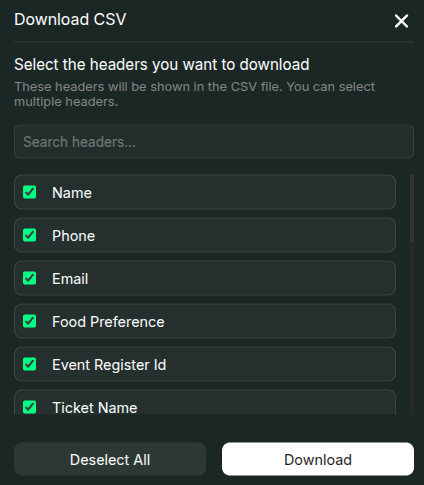
2. A modal will open displaying available data fields.
3. Select the headers you want to include in the exported file.
4. Click **Download** to generate and save the CSV file.
1. Click the **CSV icon** located at the top right of the Guests page.
2. A modal will open displaying available data fields.
3. Select the headers you want to include in the exported file.
4. Click **Download** to generate and save the CSV file.