> ## Documentation Index
> Fetch the complete documentation index at: https://docs.makemypass.com/llms.txt
> Use this file to discover all available pages before exploring further.
# Individual Guest Invitation
> Invite individual guests to your event with ease.
1. Click on the **rightmost icon** above the table in the **Guests** page.
2. A modal will open. Fill in all the required details of the guest.
3. (Optional) If you want to set a **custom ticket code**:
* Enable the **Use Custom Ticket Code** toggle.
* Enter the desired custom code. *(This will also be displayed on the ticket.)*
4. If the event is **paid-only**, you have two options:
* Pay for the ticket on behalf of the guest using the payment gateway.
* Enable the **Cash in Hand** toggle (indicating you collected the payment manually). *(This will also be recorded in the Finance tab.)*
5. If the event has **multiple ticket categories**, after filling the form:
* Select the ticket type.
* Optionally enter a **coupon code** (similar to public registration).
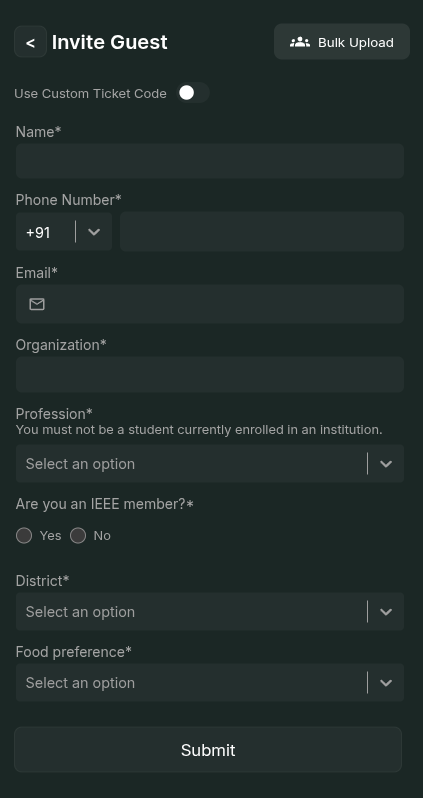 Once completed, the invited guest will receive their ticket and details based on the provided information.