> ## Documentation Index
> Fetch the complete documentation index at: https://docs.makemypass.com/llms.txt
> Use this file to discover all available pages before exploring further.
# Introduction to MakeMyPass
> Effortless event management and ticketing made simple.
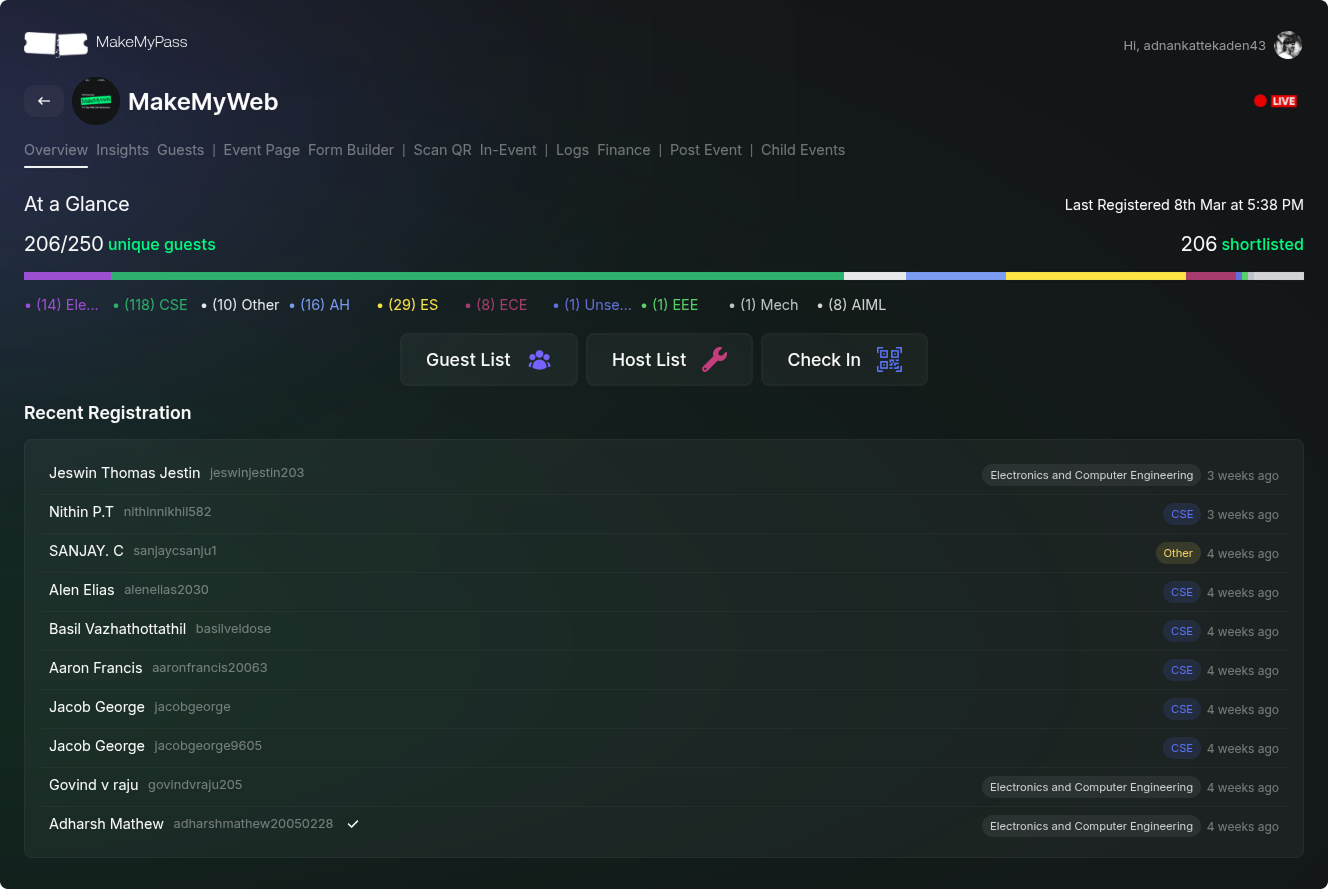
MakeMyPass simplifies event management with seamless guest handling, check-ins, and payments. Whether for small meetups or large conferences, we streamlines registrations, boosts engagement, and enhances organizer and attendee experiences.
 ## Why Choose MakeMyPass?
With MakeMyPass, event management becomes effortless, thanks to features like:
Easily create event pages and manage registrations without hassle.
Use QR-based check-ins to speed up entry and reduce wait times.
Accept payments seamlessly with secure payment gateway integrations.
Gain insights into ticket sales, attendance, and user engagement.
## Getting Started
Launching your event with MakeMyPass is quick and hassle-free:
Head over to makemypass.com and sign up using your email.
Need help setting up your event or organization? Reach out to us on WhatsApp, and we'll get you up and running in no time!
Configure your event with the necessary form fields, ticket types, and pricing options. Checkout the Event Management page to get started.
Share your event link with your audience and begin accepting registrations seamlessly.
Keep track of attendees, process payments securely, and generate insightful reports effortlessly.
## Customize Your Event Experience
MakeMyPass allows you to personalize your event with:
Create personalized tickets with unique branding and attendee details.
Extend functionality with third-party integrations.
Reach attendees via email and WhatsApp for seamless event updates.
Get assistance from our support team whenever needed.
Start using MakeMyPass today and transform the way you manage events!
## Why Choose MakeMyPass?
With MakeMyPass, event management becomes effortless, thanks to features like:
Easily create event pages and manage registrations without hassle.
Use QR-based check-ins to speed up entry and reduce wait times.
Accept payments seamlessly with secure payment gateway integrations.
Gain insights into ticket sales, attendance, and user engagement.
## Getting Started
Launching your event with MakeMyPass is quick and hassle-free:
Head over to makemypass.com and sign up using your email.
Need help setting up your event or organization? Reach out to us on WhatsApp, and we'll get you up and running in no time!
Configure your event with the necessary form fields, ticket types, and pricing options. Checkout the Event Management page to get started.
Share your event link with your audience and begin accepting registrations seamlessly.
Keep track of attendees, process payments securely, and generate insightful reports effortlessly.
## Customize Your Event Experience
MakeMyPass allows you to personalize your event with:
Create personalized tickets with unique branding and attendee details.
Extend functionality with third-party integrations.
Reach attendees via email and WhatsApp for seamless event updates.
Get assistance from our support team whenever needed.
Start using MakeMyPass today and transform the way you manage events!