

Code Prefix
- You can manually update the event ticket code prefix (default:
MMP). - Each ticket code consists of the prefix followed by a set of unique numbers.
- You can define the number of digits in the unique code sequence.
User Count
- Set the number of users per ticket who can check in with the same ticket.
Category
- Assign a category to a ticket (e.g.,
Individual,Flea,Business, etc.). This will be used for grouping the tickets in the ticket selection at the registration page.
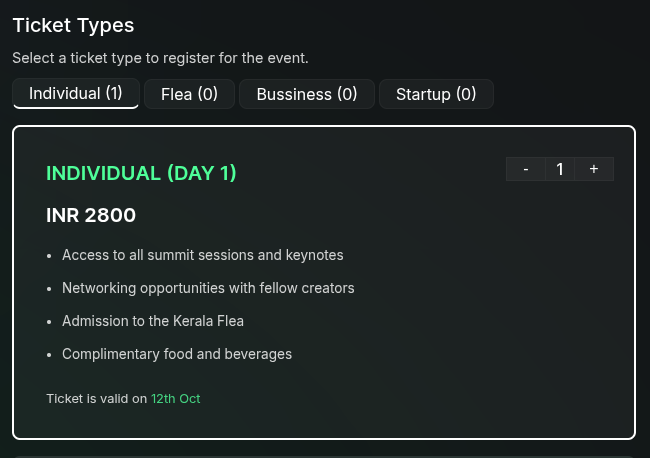
This is how the ticket category will be shown in the registration page.
Commission
- Set a commission amount that can be given to the person who sells the ticket.
- This works in conjunction with the Referral Code field.
Allowed Date
- If the ticket is valid only for a certain period, specify the valid dates.
- This is useful for events that have different ticket types for different days or sessions.
- Example: If a ticket is valid only for the first day of a two-day event, set the valid date to the first day.
Ticket Sale Period
- Start Date: The date and time when ticket sales begin.
- End Date: The date and time when ticket sales close.
Conditional Ticket Display
- Tickets can be shown or hidden based on form field values provided by the user.
- Example: If a ticket is available only for students but a user selects Professional in the form, the student ticket will be hidden from that user.
Use conditional display settings to personalize the ticketing experience based on user input.